 Cadence
Jira time tracking that keeps your pace.
One tap starts the timer. Switch tickets as the work moves, and worklogs stay in step with Jira.
Start Free Trial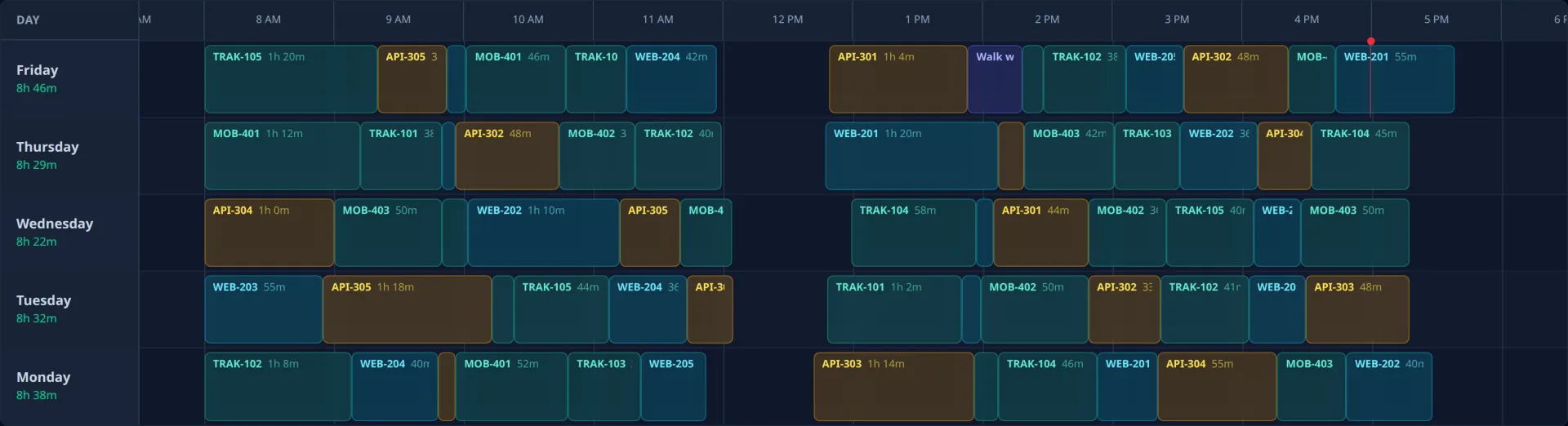
For the people who have to log the time
Developers, designers, and the admin staff who check the week. The same timer feeds both views.
Developers
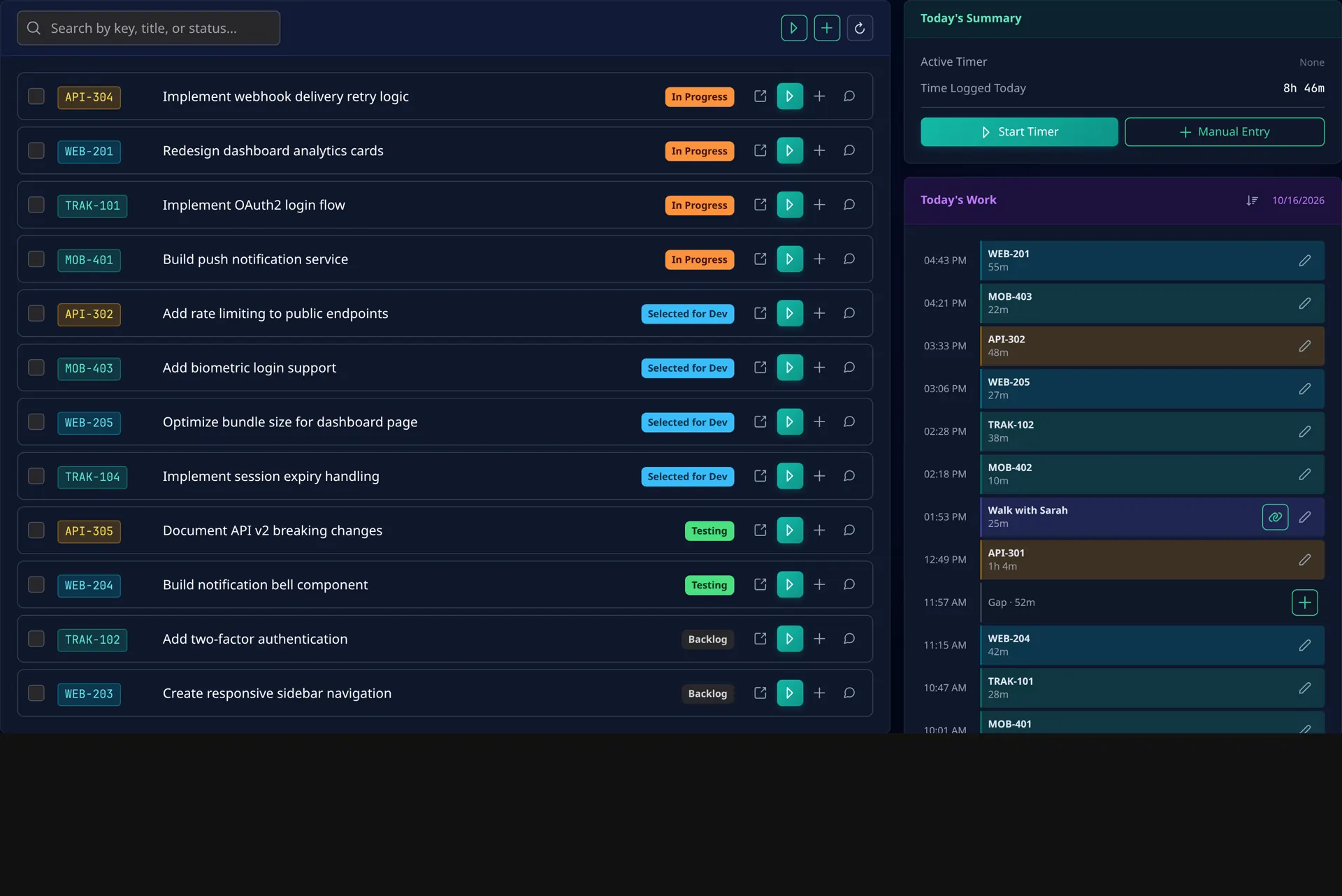
Start a timer on the issue you're in. Switch tickets, and the one you left is already a worklog.
Designers
Today's tickets sit next to the time they took, so tracking stays on the same screen as the work.
Admin
Keys, titles, and durations show up on the weekly timesheet, ready to review before they sync to Jira.
Log time without leaving your editor
Cadence has an MCP server. Cursor, Claude, and other MCP clients can run the same timer you use in the app, plan a standup, and edit personal notes when that feature is enabled.
You
log 30 mins on API-301 for the checkout fix
Cadence
Created 1 of 1 entries.
API-301 · 30m
- See whether a timer is already running.
- Start the one running timer on a Jira key, or with a title.
- Stop it, and log the worklog to Jira when you include a comment.
- Log finished blocks in bulk, including a whole day, without using the live timer.
- List a day or a time range.
- Update a row, or attach a Jira key afterwards.
- Soft-delete an entry, and remove its Jira worklog when one exists.
- Create, review, and edit a standup, then tick off the day or a single item.
- List, read, create, and edit personal notes, including checklist items, when that feature is enabled.
Add a server whose URL ends in /mcp/cadence. The client
signs you in on Cadence and asks you to approve mcp:use.
There is no separate key to copy.
Connect your editor
.
Time tracking that doesn't get in your way
One-Click Timer
Start and stop timers fast. No Jira worklog form. No friction.
Quick Switching
Jump between issues in seconds and keep your flow. Track the right thing, instantly.
Auto-Sync Worklogs
Every timer becomes a Jira worklog automatically. Your timesheet fills itself.
Forgot-to-Stop Protection
Forgot to stop? Cadence helps you catch it before it wrecks your day (and your reports).
Editor MCP
Log time, plan a standup, and edit notes from Cursor, Claude, or another MCP client.
Simple pricing. Less admin.
14-Day Free Trial
Free for 14 days. Then $6 per user / month or $60 / year.